
Kontrol PantheonBY JDDTEK
FOR YOUR CLASSES AND WORKSHOPS
You inspire. We organize.
Classes, registrations and sales, in one place.
Your studio has its own way of doing things. Explore Kontrol’s features and let’s see how they fit your day.
A JDDTek product. Pilots with a scope agreed with you.
has its own
rhythm.
Room for what you do.
Your energy goes into what you teach.
Organization matters too.
Customers, memberships, sales, inventory and access. Explore the product foundation and what is still in development.
EXPLORE KONTROL PANTHEON
See what you can organize.
Explore the features. Try an example. Then we can see how they fit your studio.
FEATURE / 01
Each person, with their information close at hand.
Open a record and find what you need to help someone.
V2 includes customer records and lifecycle handling. Here you can explore a fictional record.
Explore Kontrol for your studioEstudio Lumbre · fictional business
YOUR STUDIO, IN ONE PLACE
Customers
Fictional records for exploring the workflow.
- Ana LunaExample customerActive
- Mateo RíoExample customerActive
Choose a feature and try its example action.
FROM THE ACTUAL PRODUCT
From the customer list to their record.
See the V2 interface: open a customer and view their record. Local recording in Spanish with fictional data and no audio. Available scope is confirmed for each pilot.
Download the walkthrough GIF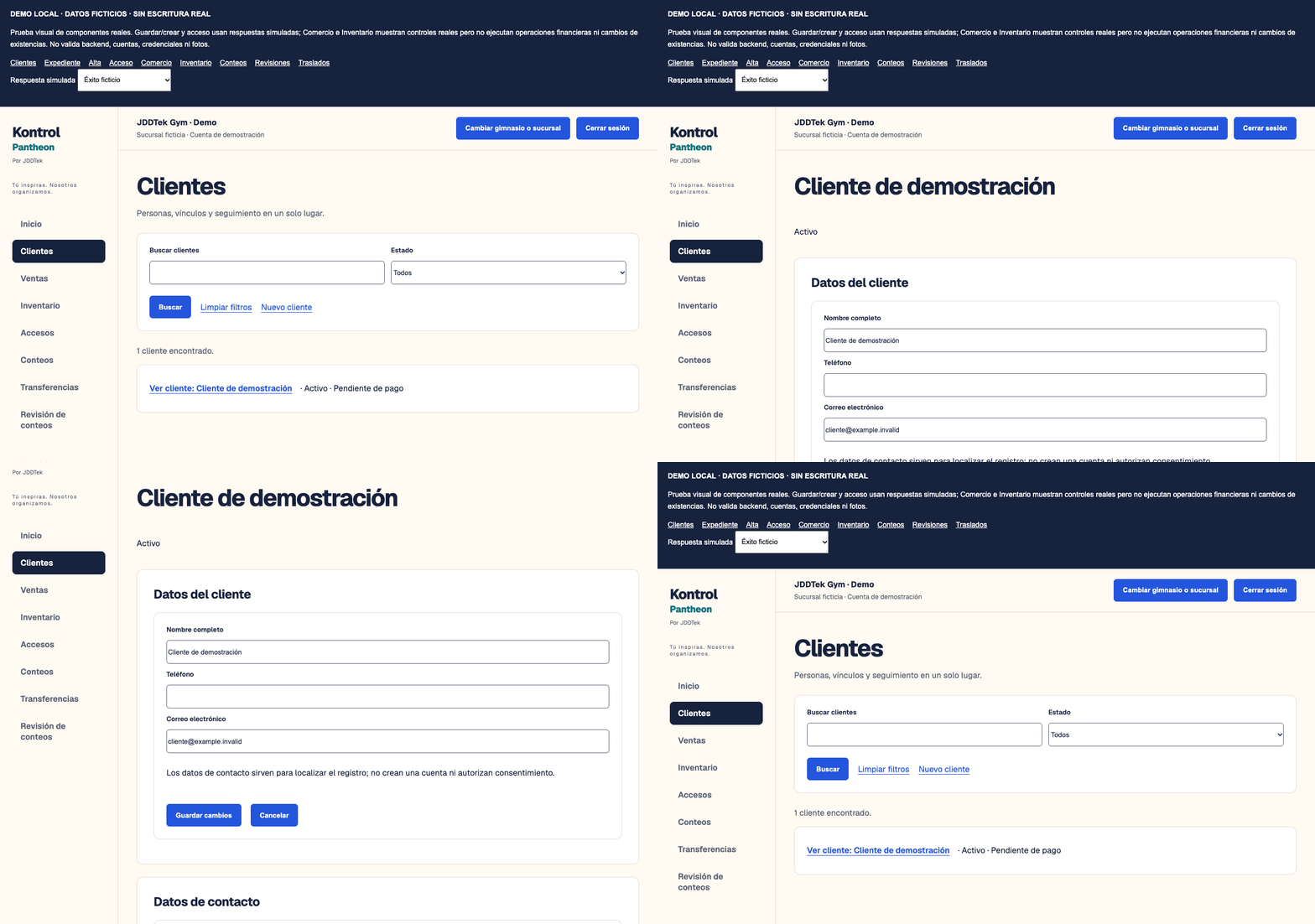
WHAT IS TAKING SHAPE
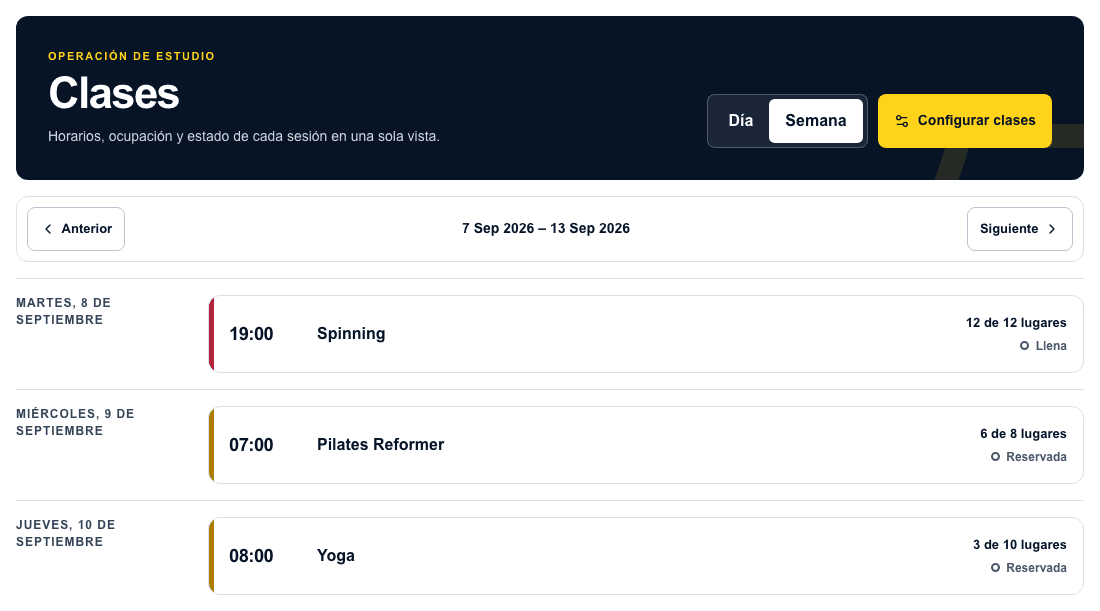
Your class schedule, too.
This proposal illustrates the direction of the classes and registrations experience. The classes module remains in development.
START WITH EVERYDAY WORK
Fewer detours between messages and notebooks.
- 01
Schedules
Your studioWhere is the class schedule?
If classes change across messages, let’s start by understanding how you organize times and places.
To discuss: schedules and capacity
- 02
Registrations
Your teamWho signed up for which session?
Let’s review how registrations arrive and what the person welcoming participants needs to know.
To discuss: class lists
- 03
Sales
Your businessWhere did we write down that sale?
Let’s see how you record payments, passes or products, and what information you need at the end of the day.
To discuss: sales records
Classes and bookings are part of the experience we are developing. Available scope is confirmed for each pilot.
A PILOT, STEP BY STEP
Start with something concrete.
First, explore Kontrol’s features. Then we choose what to try in your business and what adjustments the pilot needs together.
Today: a working pilot
Thunder Gym uses the V1 pilot. It is a reference for real work; it does not mean all its features are ready for another studio.
In development: modular version
The new version does not yet cover everything V1 does. Before starting, we review what is available and what is outside the scope together.
- 01
Explore the product
We show you the features and workflows that interest you.
- 02
Choose what to try
Define the scope, the limits and how to review the result.
- 03
Adapt and review
See together whether the pilot fits and what needs adjusting.
Kontrol Pantheon is a JDDTek product. We also build software and automations for businesses in other sectors. Meet JDDTek
Let's start a conversation
Tell us how your studio works.
Tell us which features interest you and how your studio works. We’ll show you the product and review what can be tried and what needs adapting.
Optional: tell us in a sentence.
You can review the message before sending it.